


Setup Client Key and Signature
This SNAP Disbursement guide is currently available in English.
Configure your Client ID and RSA key pair, then authenticate and sign your requests.
1. Retrieve your Client Key
- Open Configuration → API Credentials.
- Find Client ID under Private Credentials.
- Use this value as the
X-CLIENT-KEYheader.

Generate your key pair
Before registering your public key, generate a 2048-bit RSA private key and export its corresponding public key.
OpenSSL · Generate private key
Code
OpenSSL · Export public key
Code
Keep your private key secure The private key stays on your own system. Do not upload it to the Dashboard or share it.
2. Register your public key
- Open Configuration in the Brick Dashboard.
- Select the Callback URL tab.
- Find Upload Your Public Key.
- Paste the contents of
rsa_public_key.pem, including theBEGIN PUBLIC KEYandEND PUBLIC KEYlines. - Select Save Changes.
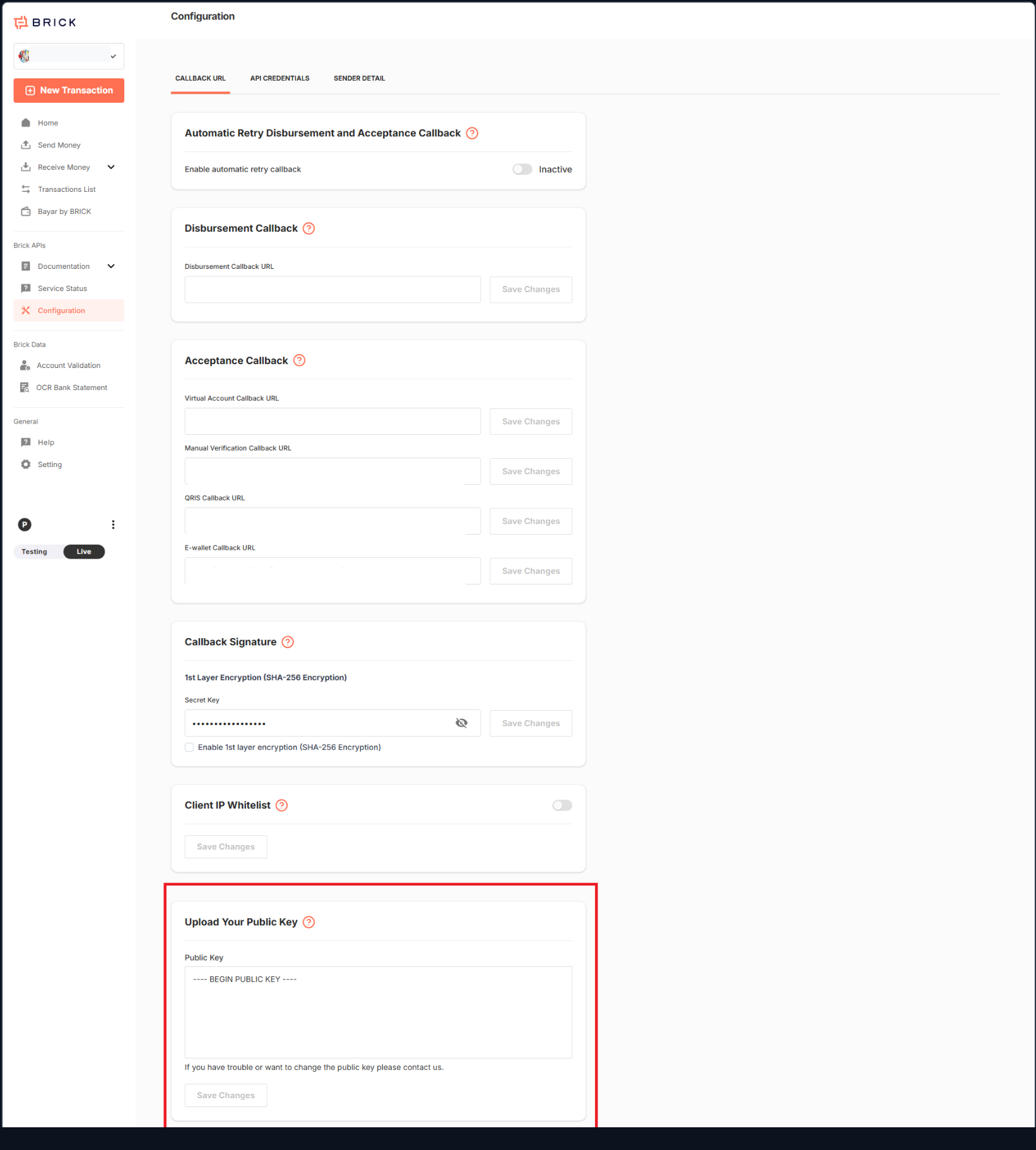
If you need to replace an existing public key or cannot save it, contact Brick.
Sign an authentication request
Use the following signing input:
Signing input
Code
Sign it with your RSA private key using SHA-256 and PKCS#1 v1.5 padding. Base64-encode the signature and send it as X-SIGNATURE. The Client ID and timestamp must match your request headers.
Request an access token
POST /v3/payments/sc/snap/access-token
Request · cURL
Code
Response · HTTP 200
Code
SNAP access tokens
- Each successful token creation request returns a new access token.
- A maximum of 5 active, non-expired tokens is allowed.
- When 5 tokens are active, additional creation requests return HTTP 429. Create another token only after at least one existing token expires.
- Each token is valid for 900 seconds (15 minutes) and can be reused until it expires.
- Generate a signature for every API request according to the SNAP signing requirements. Reusing a token does not remove the signature requirement.
Reuse your token Reuse a valid access token across requests instead of creating a new token for every transaction.
Credential, token, and signature values shown in examples are fictional and cannot authenticate a request.
Sign transfer and status requests
- Compact the JSON request body by removing insignificant whitespace outside strings.
- Calculate its SHA-256 hash and represent the result as lowercase hexadecimal.
- Construct the signing input below.
- Sign using RSA-SHA256 with PKCS#1 v1.5 padding, then Base64-encode the signature.
Signing input
Code
| API | Signing path |
|---|---|
| SNAP BI-FAST | /snap/bifast-transfer |
| SNAP Regular | /snap/regular-transfer |
| Check Status | /snap/status |
Preserve the JSON field order, number representation, and string escaping used to calculate the hash. Do not change the body or timestamp after signing. Use an ISO 8601 timestamp with a timezone; synchronize your clock and use a fresh timestamp for each request.
Request signing This section authenticates requests sent to Brick. It does not describe callback signature verification.
Required request headers
| Header | Required | Description |
|---|---|---|
Content-Type | Yes | application/json |
Authorization | Yes | Bearer followed by your SNAP access token. |
X-CLIENT-KEY | Yes | Client ID from Configuration → API Credentials. |
X-TIMESTAMP | Yes | ISO 8601 timestamp with a timezone. |
X-SIGNATURE | Yes | Request signature using /snap/status. |
X-REFERENCE-ID | Yes | A new UUID identifying this request. |