


Registering for QR Code
To accept QR Code payments, your business must first be registered as a merchant and obtain a National Merchant ID (NMID) — a unique identifier regulated by Bank Indonesia. NMID ensures compliance and traceability within the national QR payment ecosystem.
📘 Note
Currently, you can only generate Dynamic QR Code via API. The Brick Dashboard only supports viewing QR Code transactions.
Static QR Code Registration via Dashboard
If you're managing multiple store locations with separate financial ledgers, Brick allows you to generate multiple static QR Code codes—each tied to its own NMID.
How to Register:
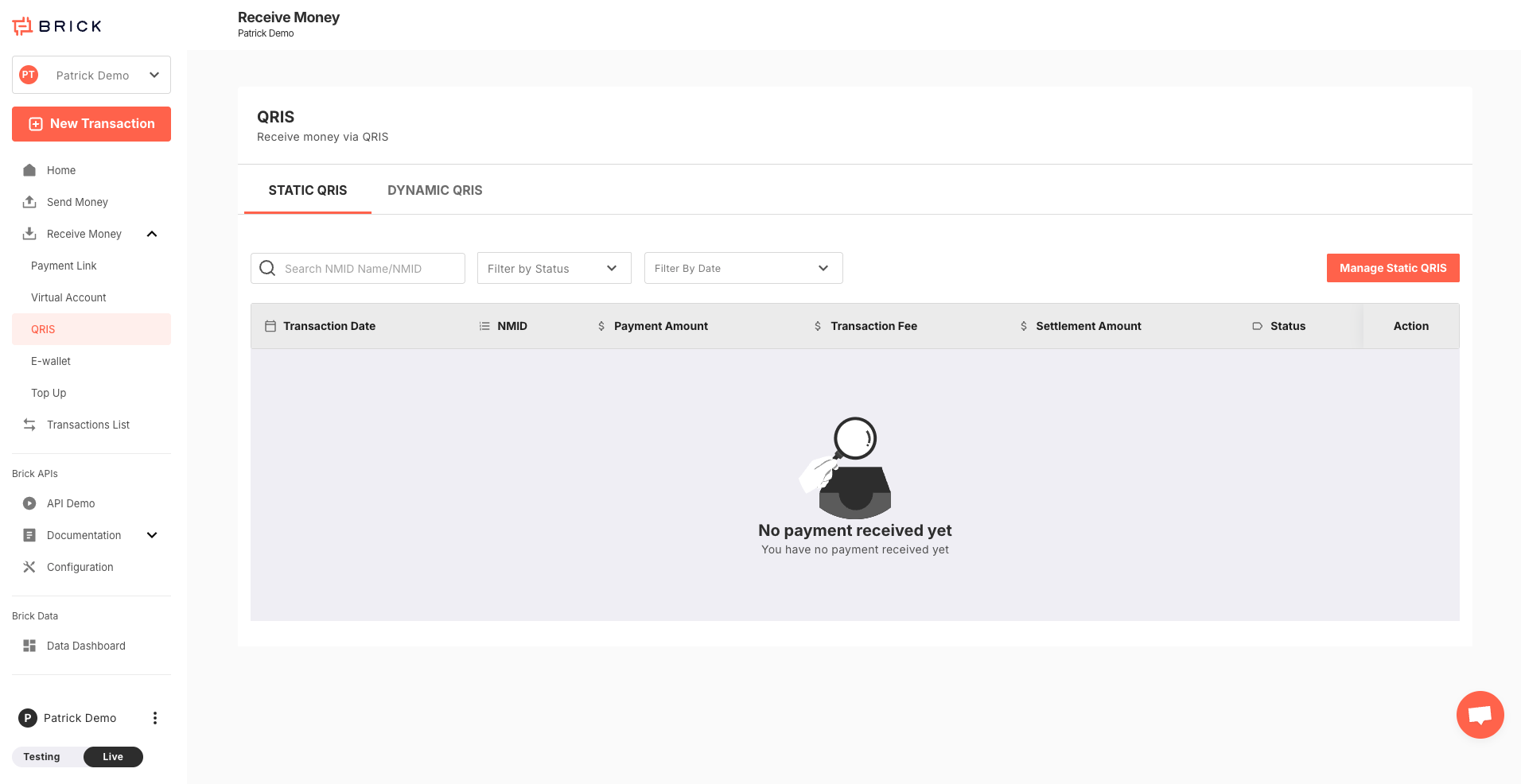
- Go to your Brick Dashboard and navigate to Receive Money > QR Code.
- You'll be directed to the list of QR Code transaction page. Click Manage Static QR Code to add a new QR Code Static QR Code.
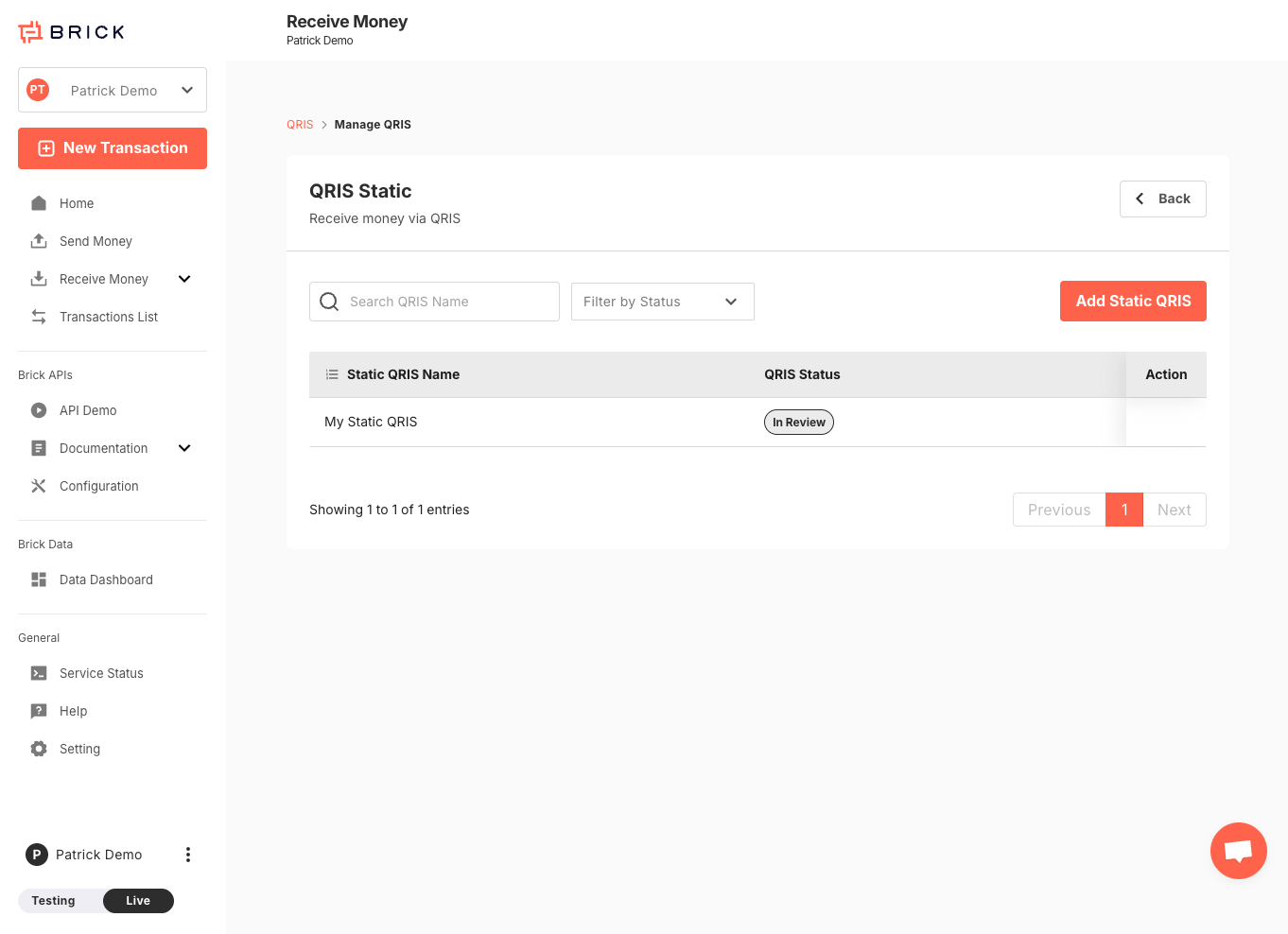
- You'll see a list of previously registered QR Code. To register a new one, click Add Static QR Code.
- Fill out the required form, including:
- Display name (shop or branch name)
- Estimated revenue and profit
- Other business details as required by regulation.
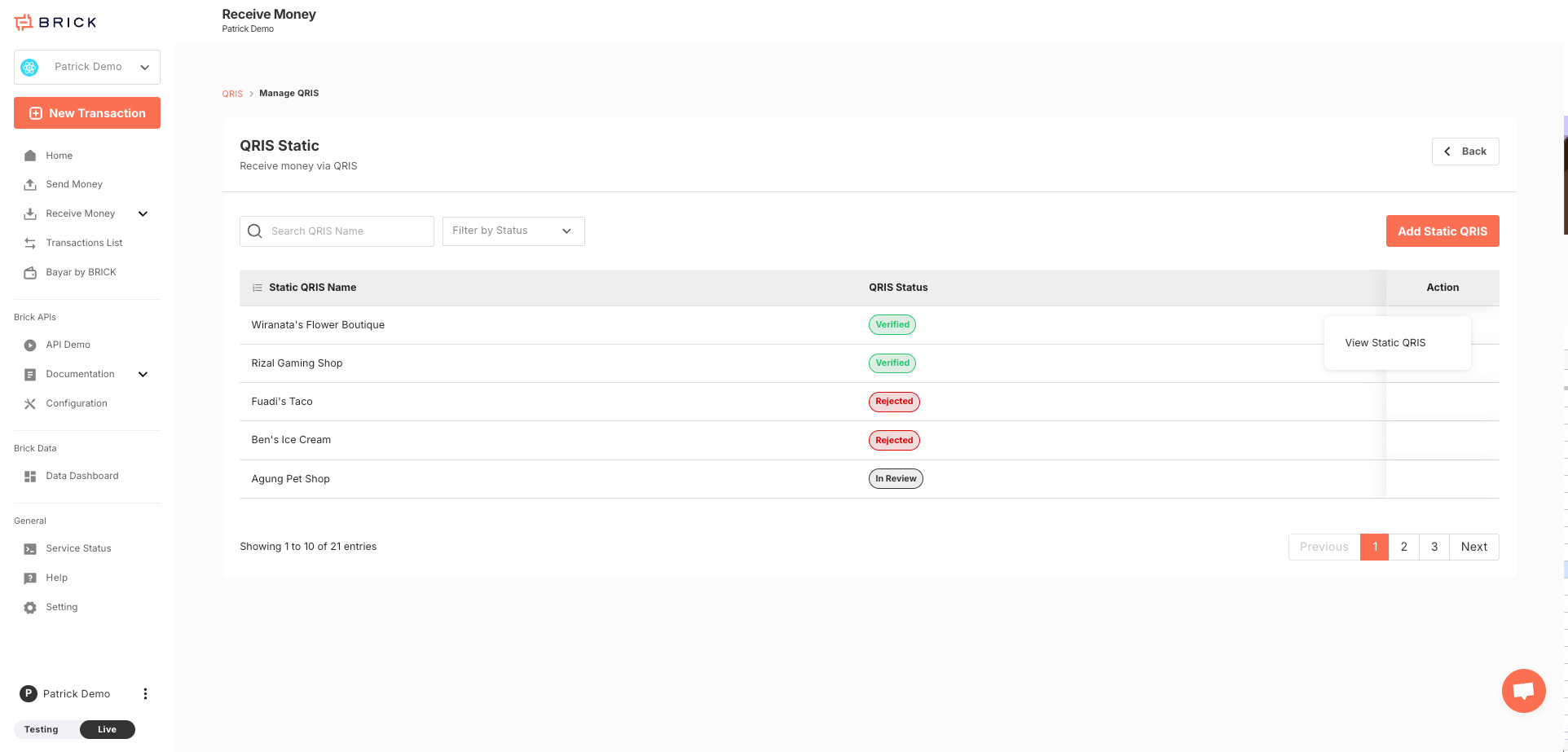
- Once submitted, your registration will be reviewed.
⏳ Approval Time
Approval Time: NMID registration takes approximately 3–4 working days.
- After approval, your Static QR Code image will be available in the dashboard for download and use.
Dynamic QR Code Registration
To register for Dynamic QR Code, please contact our sales team. Once we’ve collected your information, your NMID request will be submitted for review.
🕒 Dynamic QR Code activation also takes approximately 3–4 working days.
QR Code for Subaccounts
The registration flow for QR Code under subaccounts mirrors that of the main account.
Each subaccount can register and manage its own NMID and QR Code after the QR Code registration is approved, offering a clean separation of payment data across brands or entities.
Merchant Name, Acquirer Name, and NMID
QRIS merchant identity is based on the approved QR Code registration, not only on the Brick account structure.
- NMID is the QRIS merchant identifier issued through the registration and approval process.
- Merchant Name / Payment Display Name is submitted as part of QR Code registration. It is not automatically taken from the subaccount name or main account name.
- Acquirer Name follows the QRIS acquirer, provider, or partner used for the merchant. It is not a field that can be customized through the Brick Dashboard or API.
If the QRIS merchant identity has already been approved, changes to the merchant name, acquirer name, or NMID should not be treated as self-service changes. Please contact the Brick team so we can review the request with the relevant partner.
For platform or merchant aggregator models, contact the Brick team to review the required KYB setup, merchant ownership model, NMID registration flow, and partner or regulatory requirements.
📘 Learn more about how Subaccounts work here.