


Prepare Yourself to Use API
1. Create a Brick Account
To begin using Brick's APIs, you'll need to create an account. If you haven't registered yet, please sign up here https://app.onebrick.io/signup
2. Get Your Client API Credentials
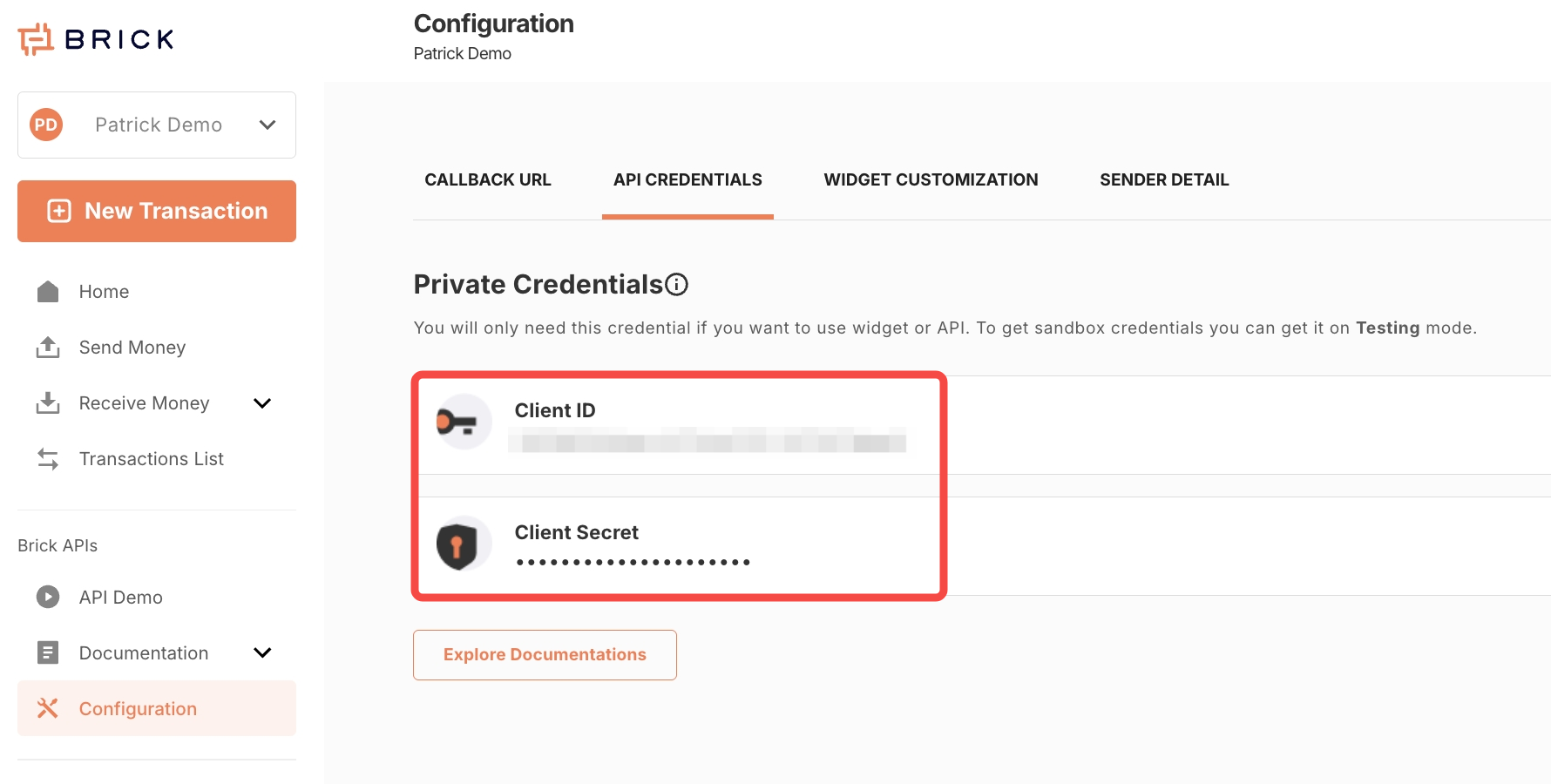
Navigate to 'Configuration' section and check under the 'API Credentials' tab. You will find your Client ID and Client Secret there.
3. Configure Callback URLs
Brick's API v2 utilizes callback mechanisms to notify your application about various events. It's essential to set up the appropriate callback URLs for each API you intend to use.
Steps to Set Up Callback URLs:
- Navigate to the 'Configuration' section.
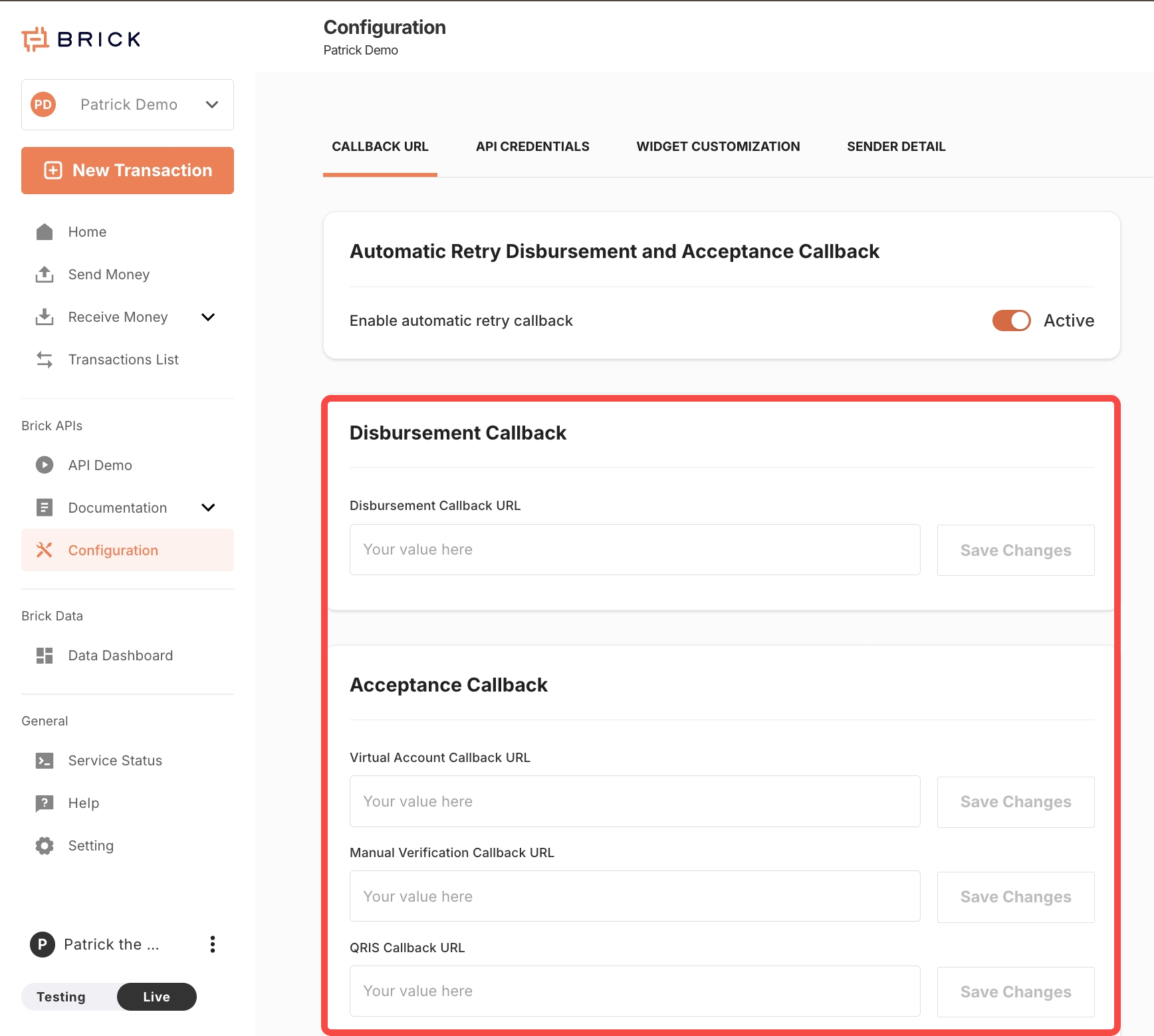
- Go to the 'Callback URL' tab.
- Enter the corresponding callback URL for each API service you plan to integrate.
- Use Test URL or Save & Test to confirm that Brick can send a callback request and receive the expected response from your server.
Callback URL Configuration Table
| API Service | Callback URL Field Name |
|---|---|
| Payment Disbursement APIs | Disbursement Callback URL |
| Virtual Account APIs | Virtual Account Callback URL |
| QR Code APIs | QR Code Callback URL |
| Ewallet APIs | Ewallet Callback URL |
Note: Each API service requires its own distinct callback URL. Ensure that the endpoints you provide are correctly configured to handle incoming POST requests from Brick's servers and return the expected response.
Expected Response From Your Callback Receiver
For normal transaction callbacks, return HTTP 200 only after your system has accepted and stored the callback event. If your receiver returns a non-200 response, times out, or is unreachable, Brick may treat the callback as failed and retry according to the callback retry policy.
When you test or save a Callback URL from the dashboard, Brick sends a validation callback first. The dashboard test succeeds only when your receiver returns HTTP 200 with a JSON ACK that echoes the exact test referenceId sent by Brick:
Code
You can also return the same value as reference_id. The value must match the referenceId in the callback test payload or the X-Brick-Test-Reference header. HTTP 200 with an empty body, plain text, invalid JSON, a missing reference, or a different reference is treated as a failed callback test.
Callback setup and resend actions continue to use the existing dashboard write routes for backward compatibility. Callback status inspection is read-only and is exposed through the dashboard v3 read route GET /v3/exp/dashboard/disbursement/callback/status when viewed from the Client Dashboard.
API Environments
Brick provides two separate environments to support both development and production use cases.
To generate and manage your API credentials for each environment, log in to the Brick Dashboard, navigate to the Configuration menu, and select the API Credentials tab.
Available Environments
| Environment | Base URL | Purpose |
|---|---|---|
| Sandbox | https://sandbox.onebrick.io/v2 | Use this environment for testing and development. It simulates live behavior using mock data. |
| Production | https://api.onebrick.io/v2 | Use this environment for live applications connected to real financial institutions. |
🚧 Important Notes
- Credentials are different for each environment. Make sure you use the correct client_key and client_secret for the environment you're working in.
- Transactions in the Sandbox environment do not affect real accounts or institutions.
- Before switching to Production, ensure that your integration is fully tested in Sandbox.